Introduction
Welcome to the MiWeigh Dashboard! This guide will walk you through the simple steps of adding new users to your MiWeigh account. Adding users is essential for onboarding team members and ensuring they have access to the tools and features needed for seamless operations. Please note that you must have an admin account created by the MiWeigh team to add users.
Step-by-Step Guide
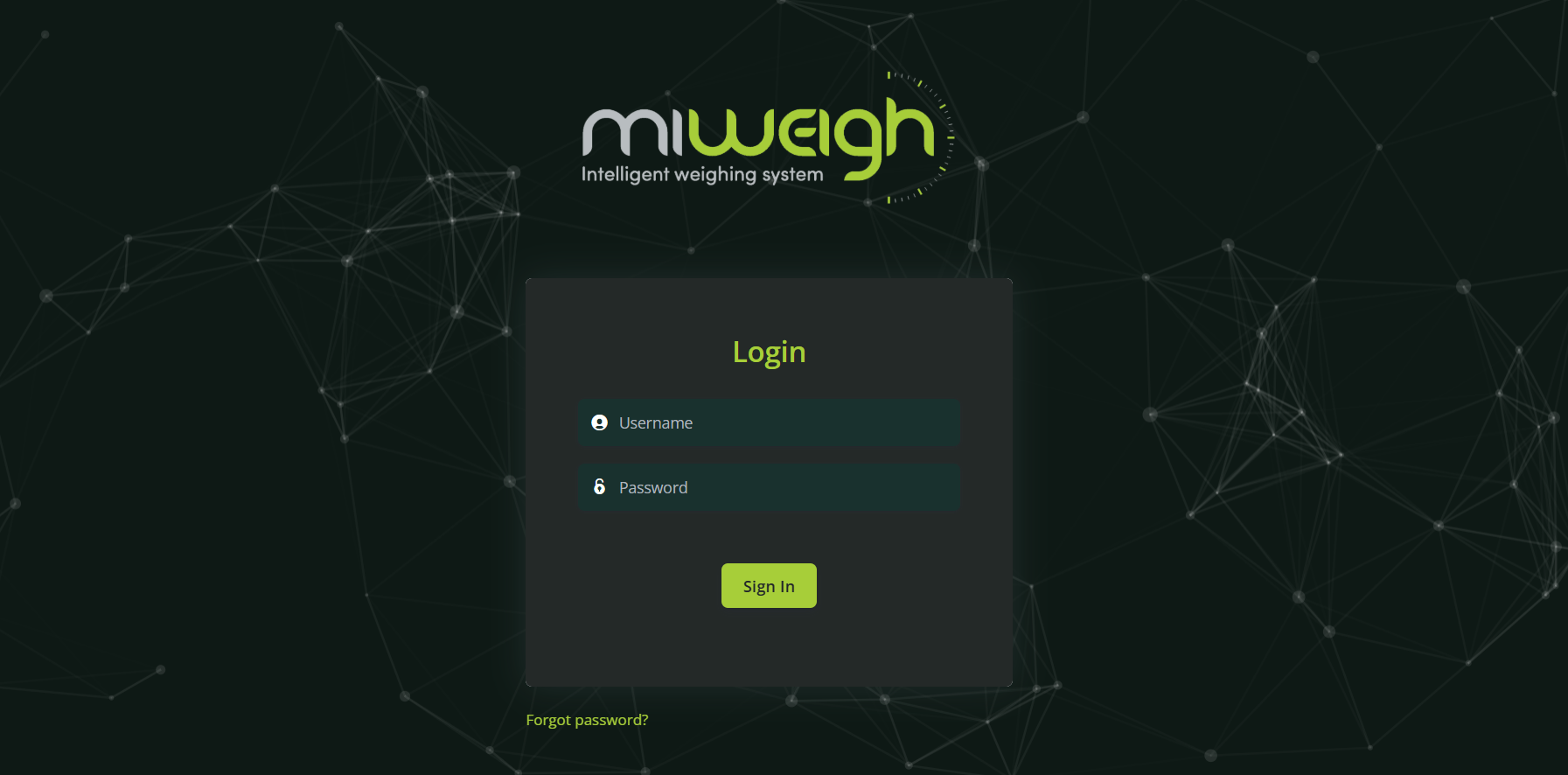
1. Logging into Your Admin Account
To begin, navigate to the MiWeigh homepage and log in using your credentials. If prompted, enter the passcode sent to the registered email address associated with your account to complete the login process. This two-factor authentication ensures your account remains secure.
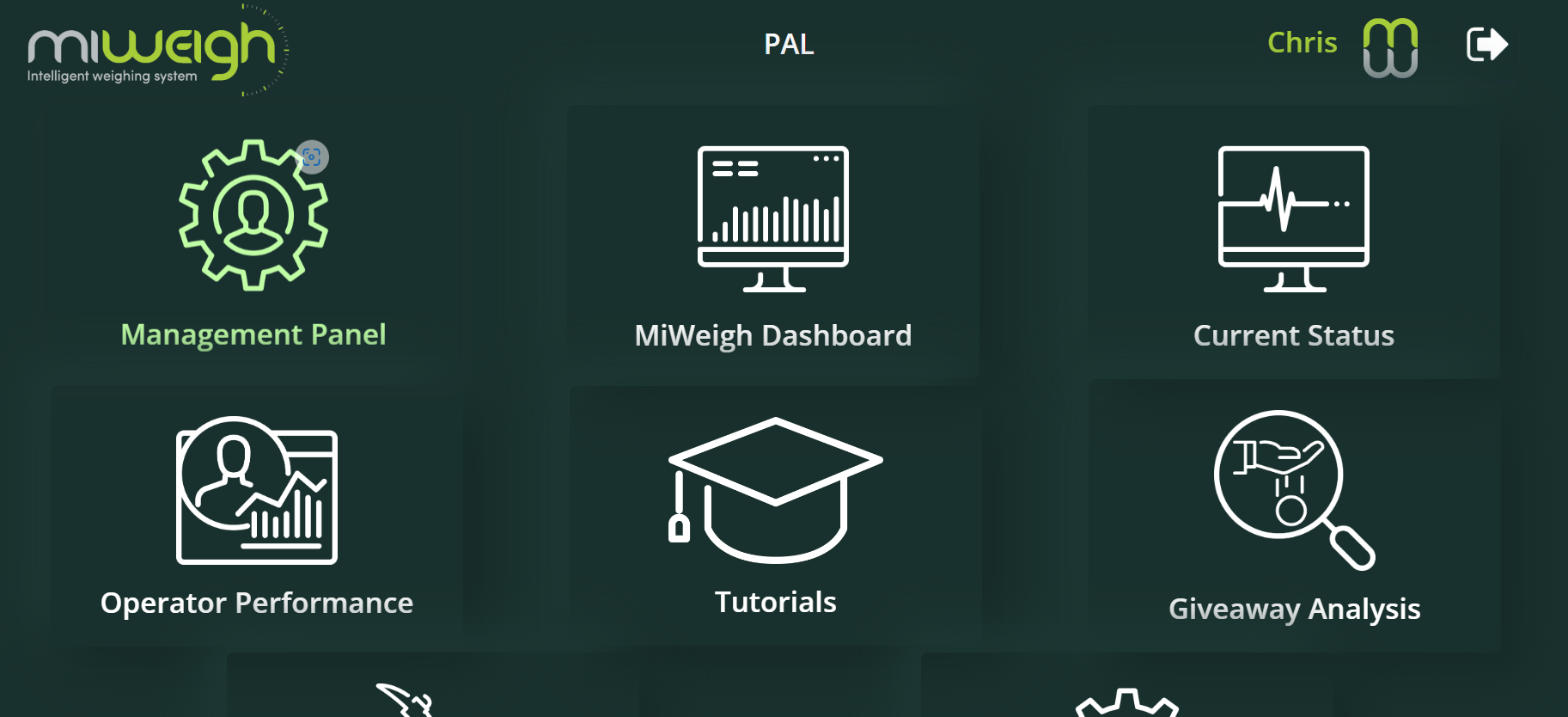
2. Navigating to the Management Panel
Once logged in, you will be directed to the dashboard homepage. Locate and click on the "Management Panel" link. This will take you to a page where you can view a list of current users or, if your account is new, an empty user list.
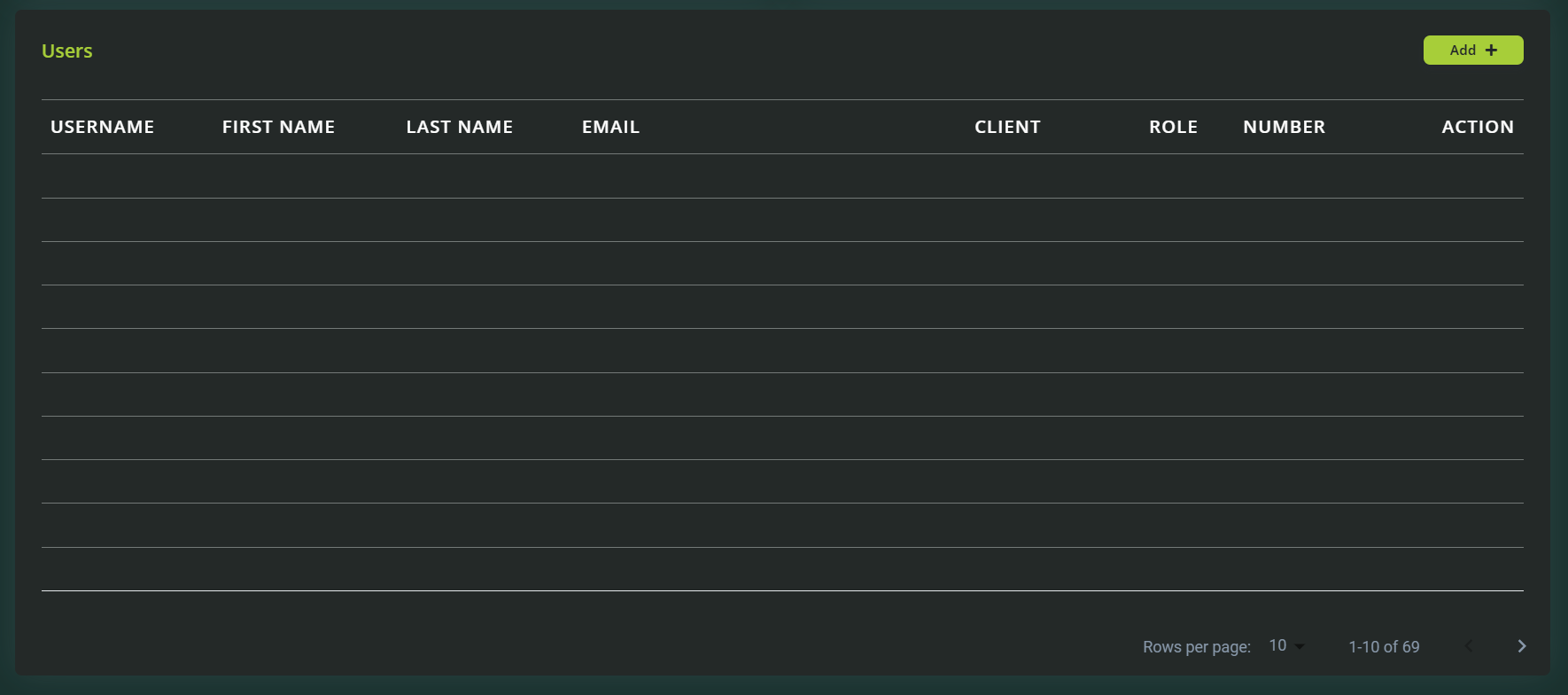
3. Adding a New User
On the Management Panel page, click the "Add" button on the right-hand side of the screen.
A pop-up window will appear, prompting you to fill out user details. The required fields include:
Username
First Name
Last Name
Email Address
Temporary Password
Contact Number
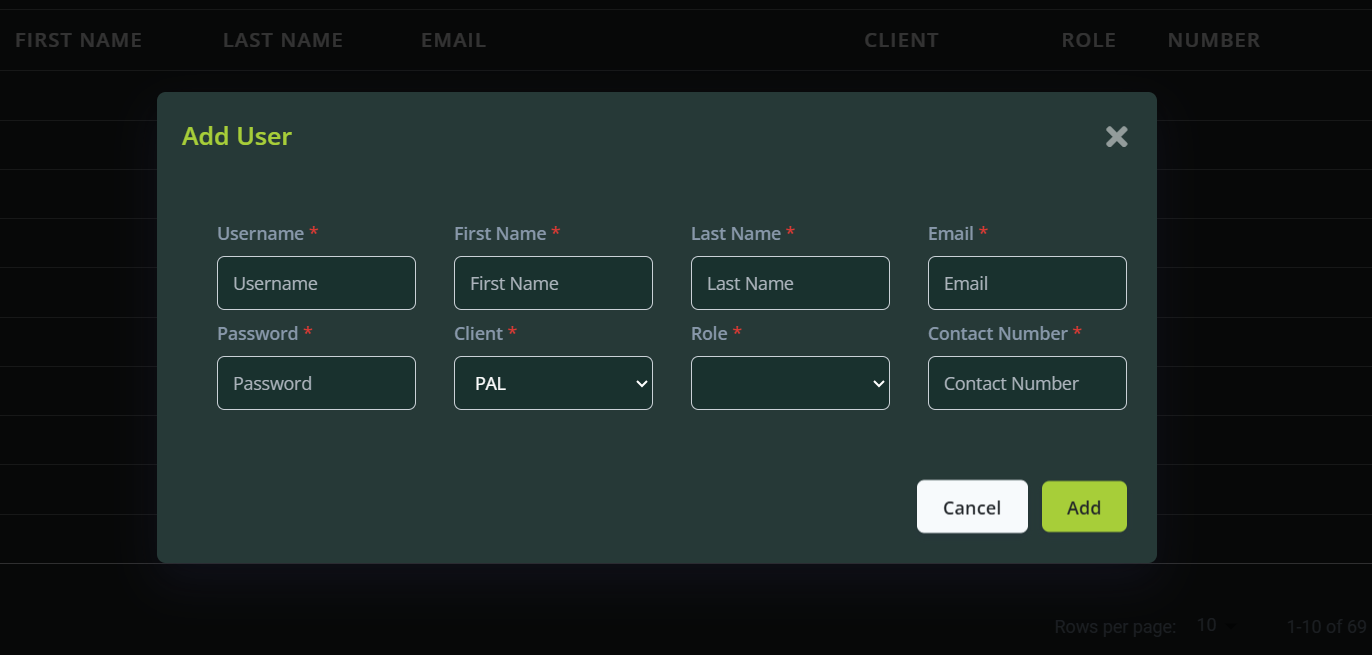
Select the user’s role:
Client Admin: Grants administrative privileges.
User: Provides standard access with restricted privileges.
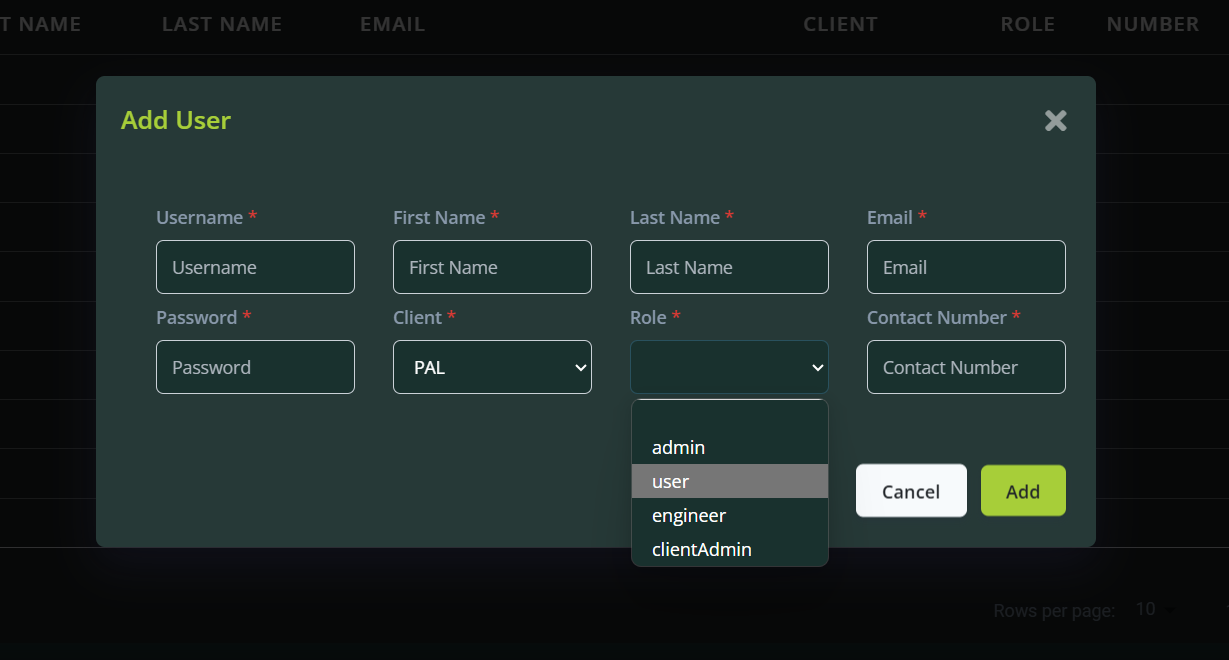
After entering all required information, click "Add" to create the new user account.
4. User Authentication and Onboarding
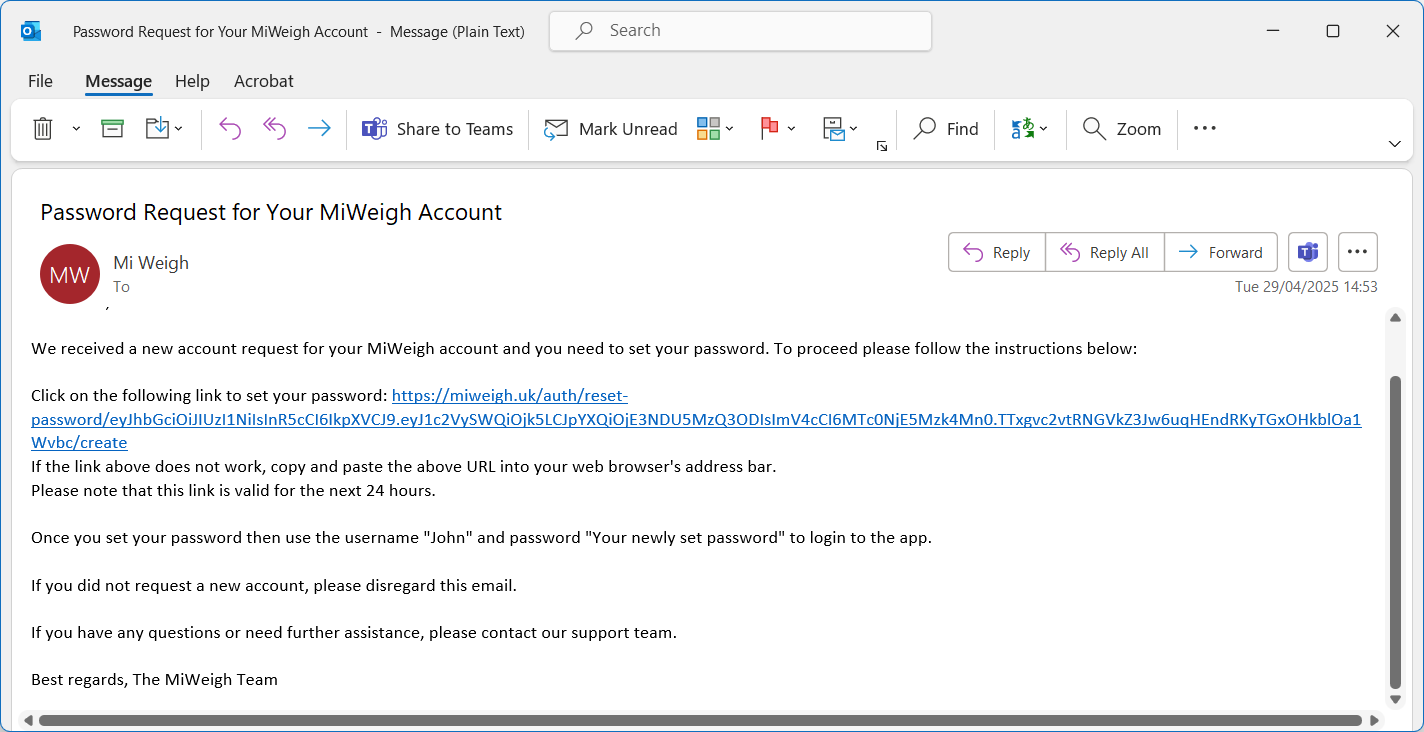
Once the user has been added, an email will be sent to their registered email address. This email will include a link for the user to authenticate their account and set a new password. Ensure the user completes this step to finalise their onboarding process.
Roles and Privileges
Client Admin: Users with this role can manage other users, view detailed analytics, and access advanced features of the dashboard.
User: These accounts have limited access, allowing them to use standard features without administrative control.
Tips for Managing Users
Maintain Updated Contact Information: Ensure user details, such as email addresses and contact numbers, are accurate to facilitate communication.
Assign Roles Appropriately: Carefully determine whether a new user requires administrative privileges or standard access.
Monitor User Activity: Regularly review the user list in the Management Panel to deactivate inactive accounts and maintain security.
Conclusion
Adding new users to the MiWeigh Dashboard is a straightforward process that ensures your team can collaborate efficiently and access the resources they need. By following these steps, you’ll streamline the onboarding process and maintain a secure, organised user environment. For further assistance, consult the MiWeigh support team or explore additional resources within the dashboard.
Was this article helpful?
That’s Great!
Thank you for your feedback
Sorry! We couldn't be helpful
Thank you for your feedback
Feedback sent
We appreciate your effort and will try to fix the article