You can access the Per Day Summary page directly from the MiAssist Dashboard Home Page. This page provides an overview of your machines’ daily production performance, allowing you to quickly assess batch runs, utilisation, and output over your chosen time period.
TABLE OF CONTENTS
- Navigating to the Per Day Summary Page
- Filter Section (Top of the Page)
- Summary Production Data
- Per Day Summary Table
- Summary
Navigating to the Per Day Summary Page
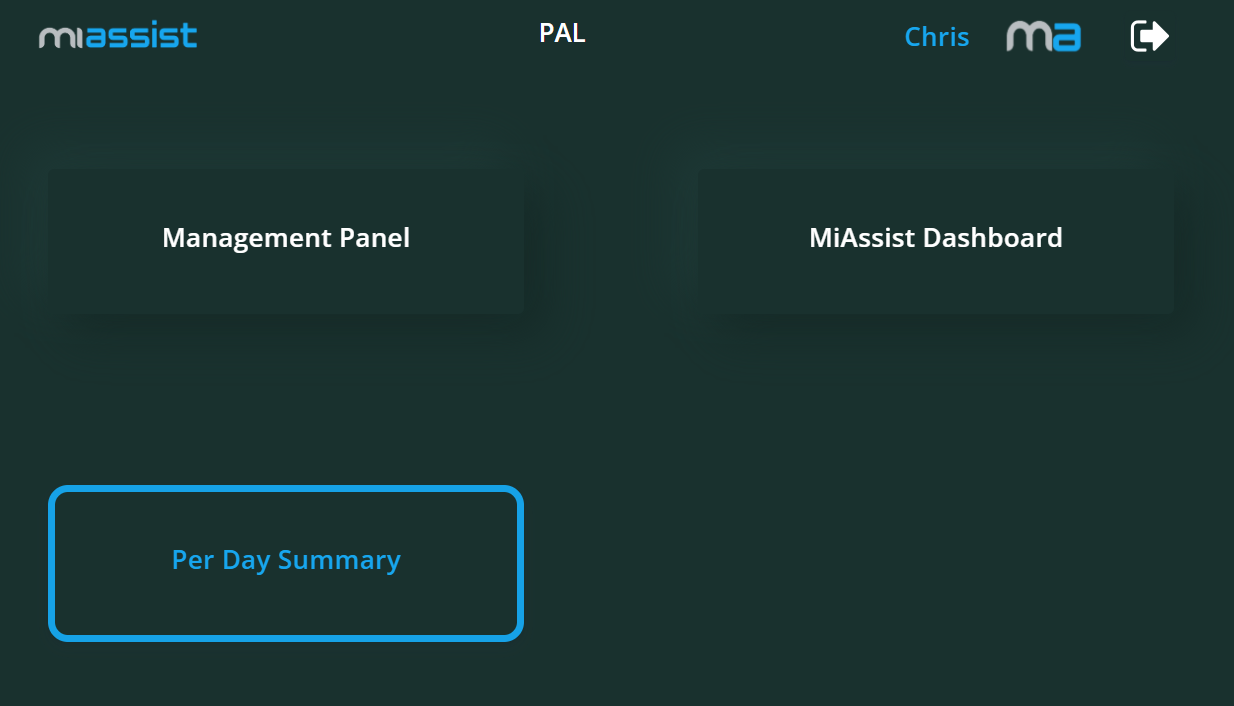
From the MiAssist Dashboard Home Page, locate and click on the Per Day Summary link or button to open this detailed report page.
Filter Section (Top of the Page)
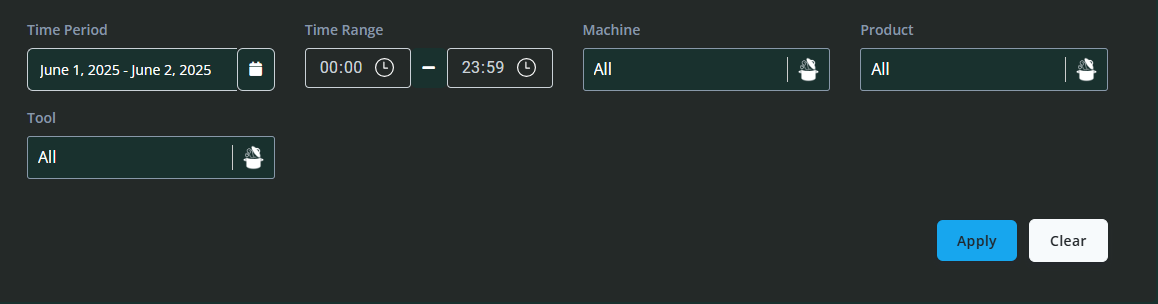
Similar to other MiAssist pages, the Per Day Summary page includes a filter section at the top that lets you customise the data displayed:
Time Period: Choose the overall timeframe you want to review, such as a specific day, week, or month.
Time Range: Narrow down the timeframe within the selected period for more targeted analysis.
Tool: Filter data by the specific tool loaded on the machine.
Product: Filter the summary based on the product or batch being produced.
Once you’ve set your desired filters, click Apply to update the data, or Clear to reset all filters.
These filters allow you to tailor the summary view to specific dates, tools, or products, making it easier to pinpoint trends or identify issues within certain parameters.
Summary Production Data

Below the filter section, you will find key aggregated production metrics for the selected period:
Packs Produced: Total packs produced by all machines in the timeframe.
Idle Time Total: Combined idle time of all machines.
Run Time Total: Total run time across all machines.
OEEE (Overall Equipment Effectiveness Estimate): Reflects the overall machine efficiency by comparing run time to idle time.
These metrics provide an at-a-glance view of your production efficiency for the selected period.
Per Day Summary Table
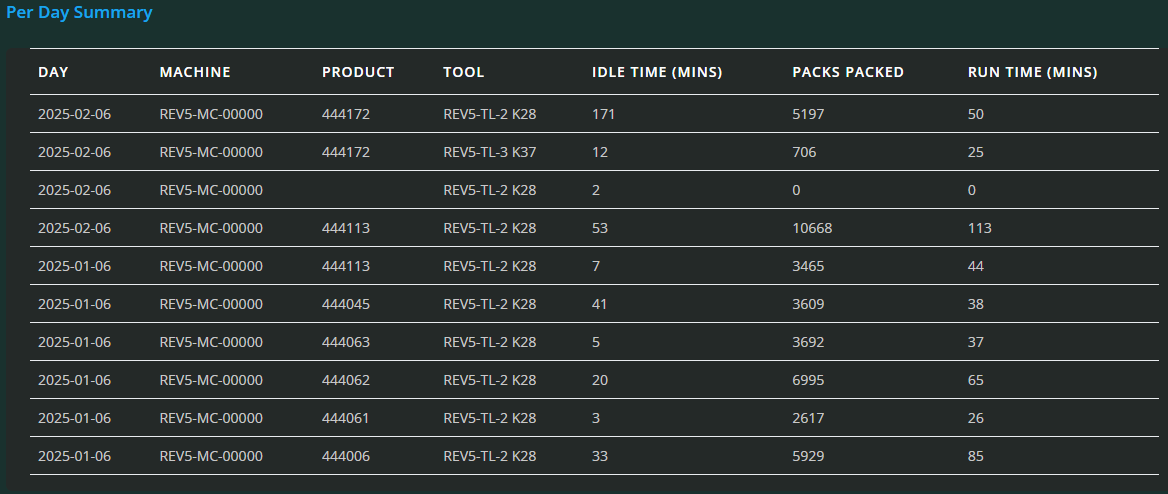
The main feature of this page is the Per Day Summary Table, which displays daily batch run data for each machine within the chosen timeframe.
Table Columns:
Day: The specific day of the production run.
Machine: The machine number or identifier.
Product: The product or batch name processed on that day.
Tool: The tool or configuration used during production.
Idle Time: Total idle time recorded for the machine on that day.
Packs Packed: Number of packs produced on that day.
Run Time: Total time the machine was running on that day.
This table allows you to compare daily performance across machines, identify days with high idle times or low output, and assess how different tools or products impact machine productivity. It’s an invaluable resource for shift supervisors and production managers looking to monitor day-to-day operations and improve efficiency.
Summary
The Per Day Summary page offers a concise yet detailed view of your production activity across days, machines, and products. By applying filters and reviewing the key metrics alongside the daily breakdown table, you can:
Monitor daily batch runs and output for individual machines.
Identify patterns of downtime or inefficiency.
Evaluate tool and product impact on production.
Make informed decisions to improve operational workflows.
Was this article helpful?
That’s Great!
Thank you for your feedback
Sorry! We couldn't be helpful
Thank you for your feedback
Feedback sent
We appreciate your effort and will try to fix the article